
What is a Crypto Wallet?
A crypto wallet is a specialized service that allows users to securely store, buy, sell, send, and receive cryptocurrency. It automatically records all transactions, making it easier to manage digital assets. Most often, a crypto wallet is an app that you install on your smartphone or computer. There are also browser extension versions and even dedicated hardware devices.
It’s important to understand that all cryptocurrency operations are actually exchanges of information about ownership rights—not the digital coins themselves. Participants in a transaction exchange data that confirms the right to own a particular cryptocurrency.
It’s important to understand that all cryptocurrency operations are actually exchanges of information about ownership rights—not the digital coins themselves. Participants in a transaction exchange data that confirms the right to own a particular cryptocurrency.
Crypto Wallet Security
To protect your assets, crypto wallets use various mechanisms such as security keys and private recovery phrases (seed phrases). To make a transaction, you need both a public and a private key.
A public key is similar to a bank account number—it’s your wallet address, and you can safely share it with others. The private key, on the other hand, is like the CVC code on the back of your bank card. It is required for managing your crypto assets and must be stored securely to prevent theft.
A public key is similar to a bank account number—it’s your wallet address, and you can safely share it with others. The private key, on the other hand, is like the CVC code on the back of your bank card. It is required for managing your crypto assets and must be stored securely to prevent theft.
Types of Crypto Wallets
We distinguish between just two main types of wallets: hot wallets and cold wallets.
Hot wallets include all exchange wallets, TrustWallet, and MetaMask. Among the most popular cold wallets are Ledger and Trezor.
- Hot wallets are mobile, desktop, or web applications.
- Cold wallets are physical devices that you connect to your PC, but they do not have direct access to the internet by themselves.
Hot wallets include all exchange wallets, TrustWallet, and MetaMask. Among the most popular cold wallets are Ledger and Trezor.
How to Create a Wallet?
Let’s look at one of the simplest and most user-friendly crypto wallet apps—TrustWallet. This app can be installed on both iOS and Android devices.
- Download the wallet from the App Store or Google Play. You can also install a browser extension, but we do not recommend this for several reasons—mainly security and ease of use.
- Open the app and tap “Create a new wallet.”
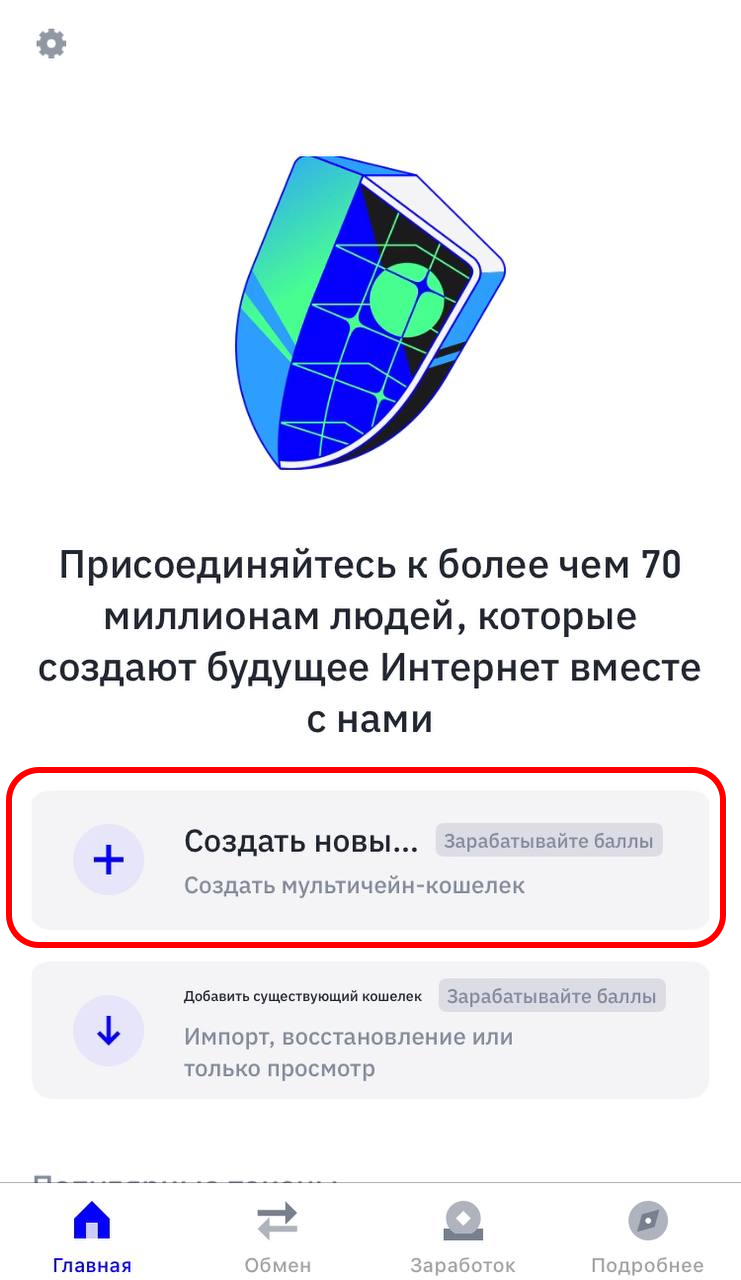
3. Set up a password. You’ll be asked to create a password that you’ll enter each time you log in. This password is not related to the seed phrase and is needed only for app access. Think of it like the PIN for your banking app: you enter it every time you open the app. Note that if your device supports fingerprint or facial recognition, the wallet will suggest enabling it for convenience. However, we do not recommend this, since PIN codes are still harder to guess than someone accessing your device with your fingerprint (for example, if you’re asleep).
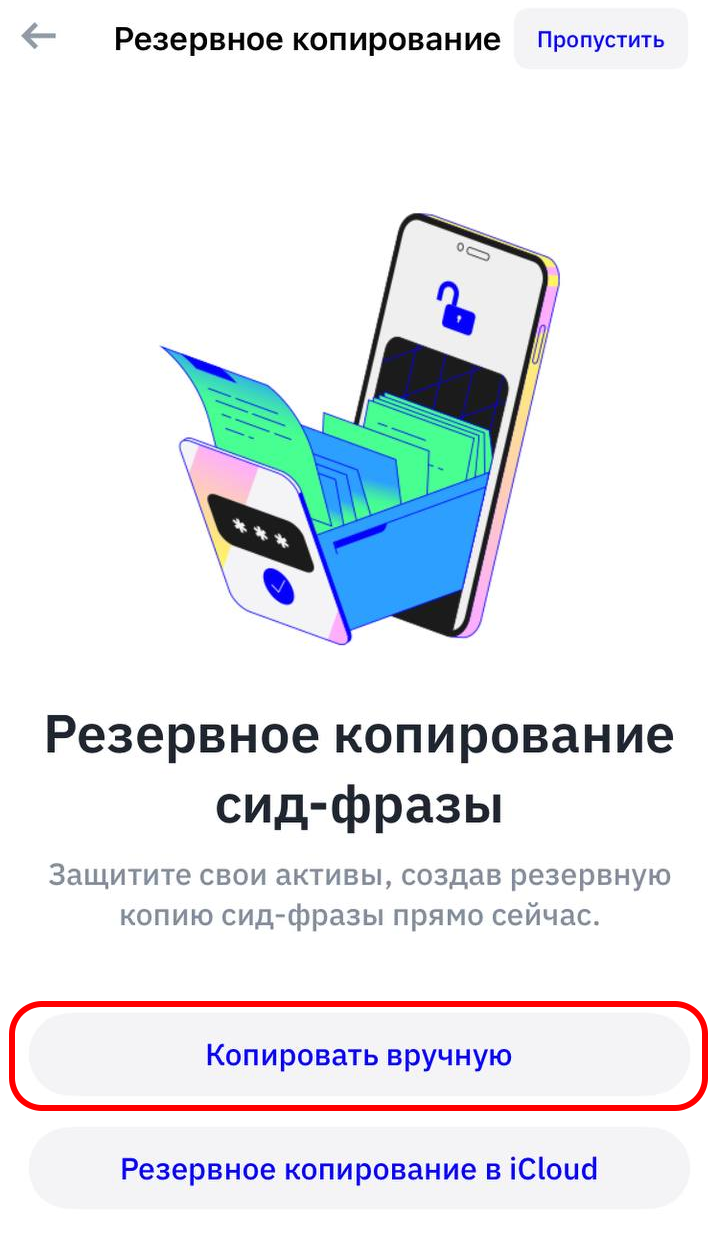
4. Backup your seed phrase. Never choose “Backup to iCloud.” If you lose access to your iCloud, you lose the wallet and all funds in it. Always choose “Manual backup,” agree, and tap “Continue.”
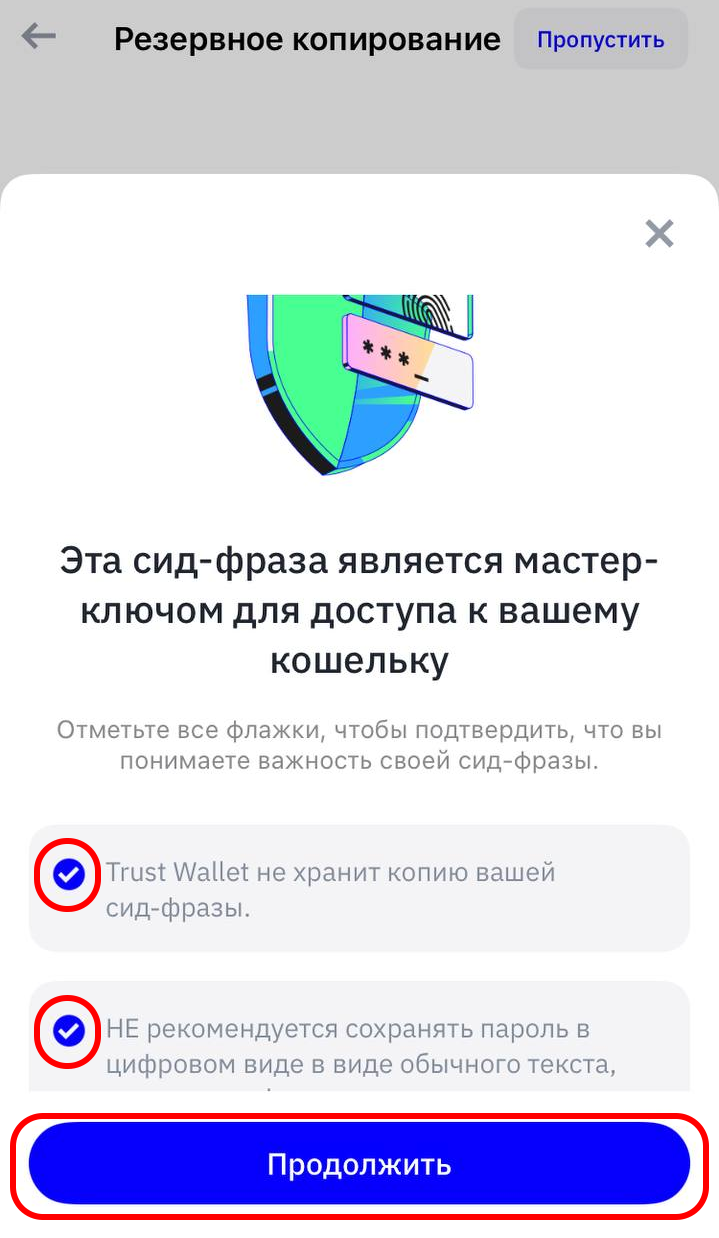
5. Write down your secret phrase—preferably on paper. Tap “Continue.” Next, you’ll need to confirm the phrase by selecting the words in the correct order. Once you’ve done that, tap “Confirm.”


6. Done! You now have a cryptocurrency wallet that can send and receive crypto assets.
It’s worth discussing cold wallets separately, as they are considered more secure. We’ll cover that in a separate article, and for information about exchange wallets, see our other guide.
If you are worried or unsure about creating a wallet on your own, you can always contact us for help — t.me/saf_smm.